Getting started
Your workspace and plan
What a workspace holds, what the Free plan includes, and how to upgrade.
Everything you create in NegiFlow lives in your workspace.
What a workspace is
When you sign up, NegiFlow creates a workspace called Personal. It holds:
- your brands, their audience and goals
- every post, from draft to published
- the social accounts you've connected
- your AI model choices and usage
Your plan
Everyone starts on Free, with no payment details needed, and Free never ends. You can write and schedule as many of your own posts as you like, with one AI post every 24 hours, up to 3 channels and 1 brand.
Your plan shows under your workspace name in the side menu. If you started a 7-day free trial before Free existed, it runs until its last day, and then you're on Free.
Upgrading
For more AI posts, channels and brands, pick a paid plan in Settings, then Billing. Your posts, brands and connected accounts stay where they are.
You pay by card, and the new plan starts straight away. To change or cancel your plan, or to update your card, use Manage billing on the same page.
Changing your workspace name
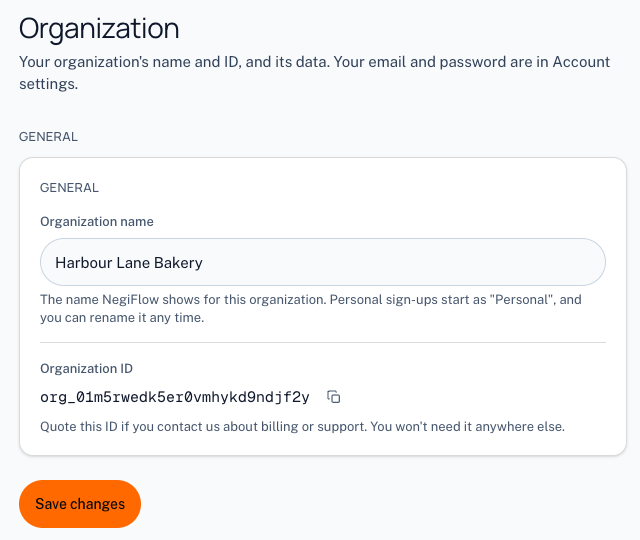
Go to Settings, then General, and change the organization name. The new name shows at the top of the side menu.
Last updated 29 October 2026