Connectors
How connecting works
Connect your social accounts so NegiFlow can publish the posts you approve, and disconnect them again.
Connect a social account once, and NegiFlow can publish the posts you approve to it. Nothing is published until you approve it.
Connect a channel
- In the side menu, select Connectors.
- Select Connect next to the channel.
- Sign in on that site and approve NegiFlow's access.
- You come back to Connectors, where the account shows as Connected.
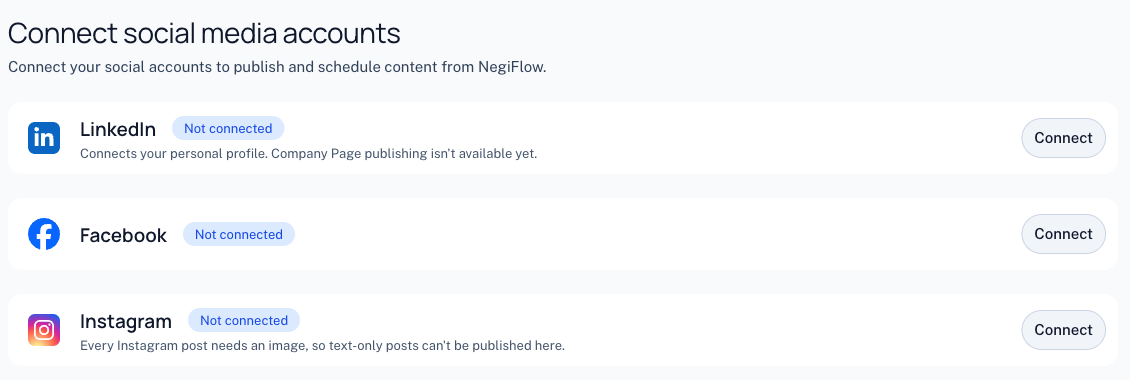
What you can connect
| Channel | Where posts go | Image needed | Lengths NegiFlow writes |
|---|---|---|---|
| Facebook Pages you manage | No | Short, medium | |
| Instagram professional accounts linked to a Facebook Page | Yes | Short, medium | |
| Your personal LinkedIn profile | No | Short, medium, long |
Using your own app ID and secret
You don't need a developer account, an app ID or a secret key. NegiFlow connects through its own LinkedIn and Meta apps, so signing in to the channel is all it takes.
Note
Which brand a channel posts as
Each channel belongs to one brand. With two or more brands, Connectors has a section for each, and Connect a channel in a section connects to that brand. An account named after another of your brands goes to that brand instead. Connecting from somewhere else, like Create post, uses the brand you're writing as.
To move a channel, open the ⋯ menu next to it on Connectors and choose Move to. You can't move a channel while it has scheduled posts: publish or cancel them first. See Brands for more.
Disconnect a channel
On Connectors, select Disconnect next to the account, then confirm. NegiFlow stops publishing to it straight away.
Warning
When a connection expires
Connections don't last forever. LinkedIn asks you to approve NegiFlow again after about 60 days, and a Facebook or Instagram connection ends if you remove NegiFlow's access on Facebook.
When that happens, Connectors shows the account as Connection expired, and NegiFlow won't publish to it. Select Reconnect, sign in again, and you're back to Connected. Then check your scheduled posts: any that were due while the connection was expired may need rescheduling.
Last updated 1 November 2026